
The ‘Escort Me’ feature monitors your activity within a time frame you set. If you feel unsafe or are in a hostile environment, you can use this feature to set a time frame based on your activity. When the time frame expires, an SOS alarm is activated. Your control room is immediately updated with your current location and your emergency number is automatically called.
Activating Escort Me
- Open the mobile app and tap the menu icon (3 horizontal lines) in the top left corner of the home screen.
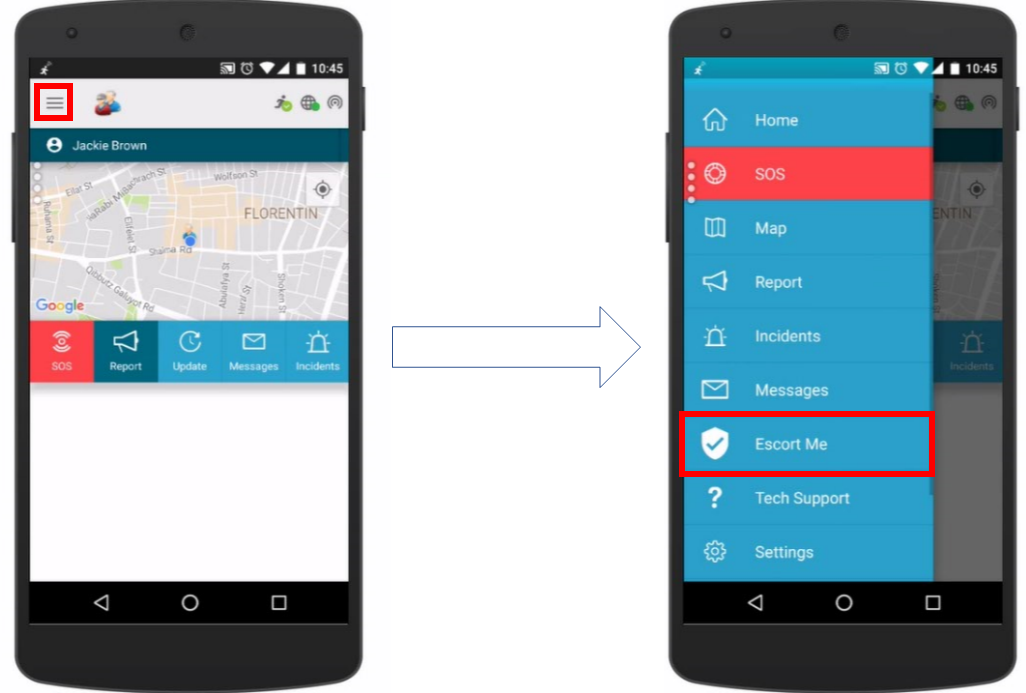
- Tap ‘Escort Me‘ to open the Escort Me screen.

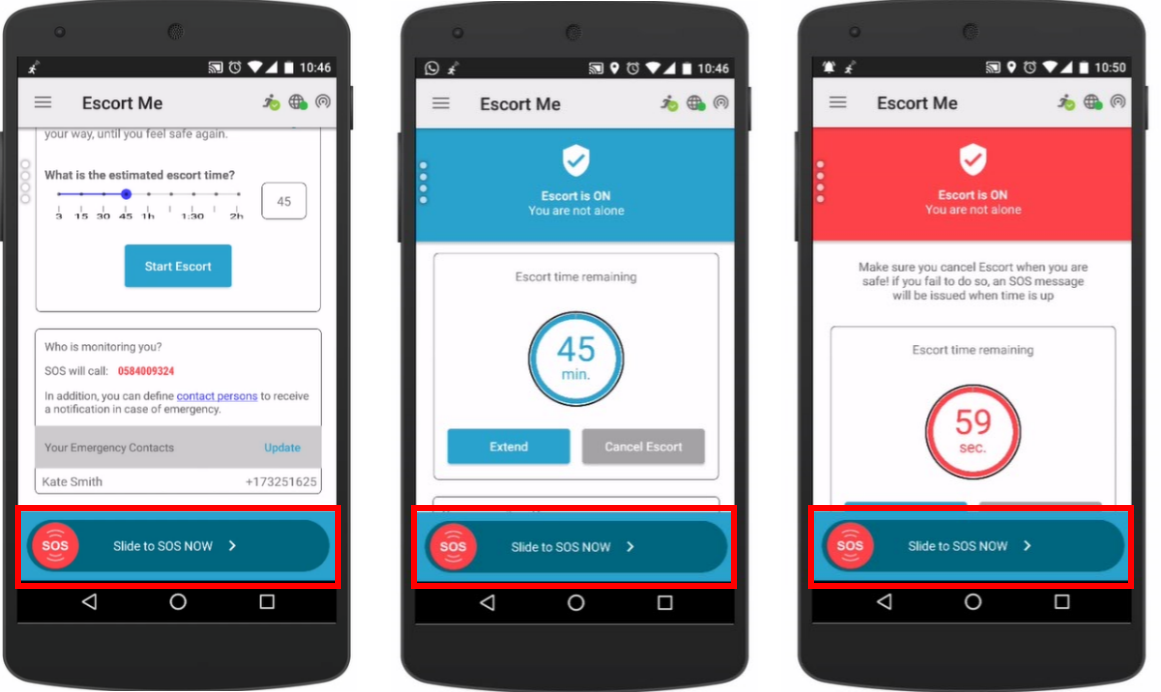
- Set the estimated escort time by sliding the blue circle left or right on the time bar. You’ll see the set time in the box to the right of the time bar.
- Tap ‘Start Escort‘ to activate the escort.

- Scroll down to view your SOS number and emergency contacts.
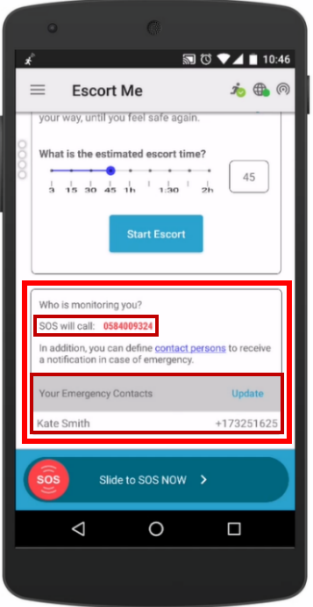
- Tap on a contact’s name or the ‘Update‘ link to add or edit emergency contacts. The emergency contact management screen will open. For more information on adding or editing emergency contacts, see How do I add or edit emergency contacts?
- Tap ‘Start Escort‘ to start the escort timer. The Escort Me screen will show that Escort Me is activated and also display the remaining escort time.
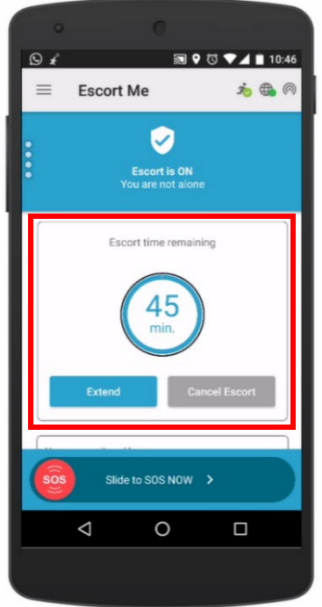
- Tap ‘Extend‘ if you want to extend the escort time. The time bar screen shown in step 2 will open. Adjust the escort time as needed.
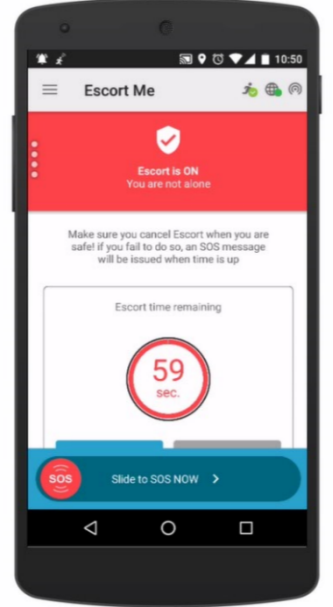
- When you’ve reached your destination or completed your activity, tap ‘Cancel Escort‘ to stop the escort timer. To remind you to cancel the escort, your phone will vibrate and the screen will turn red when the remaining escort time reaches 1 minute.
Important: You can press the SOS button at any time, regardless of the Escort time. The SOS button is located at the bottom of every screen.
Escort Time Has Expired
When the Escort time has expired, the SOS is activated. An SOS activation immediately alerts your control room of your current location and automatically calls the emergency number stored on your phone.
Important: You can press the SOS button at any time, regardless of the Escort time. The SOS button is located at the bottom of every screen.
