
With the NowForce Mobile App, you can send dynamic reports (status updates). Depending on the report type, you can also send text messages to the control room when you update your status.
To send a dynamic status from the NowForce Mobile App, follow the steps below:
- On the Home screen, tap Update.
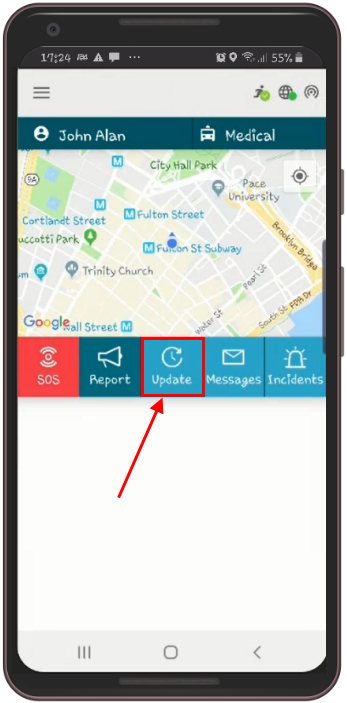
The Update Status pop-up window will open.
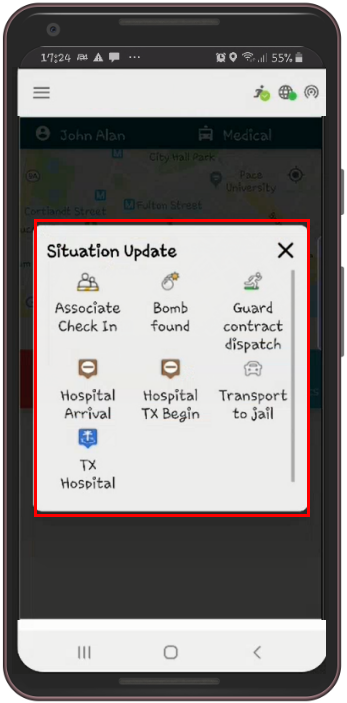
- Tap the status you want to update.
- If the selected status update is enabled for text messages, a message window will open. Otherwise, the updated status will be sent directly to the control room.
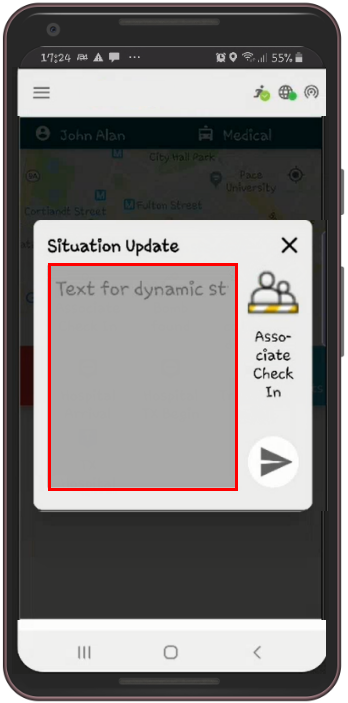
- Enter the message text and tap the Send icon.
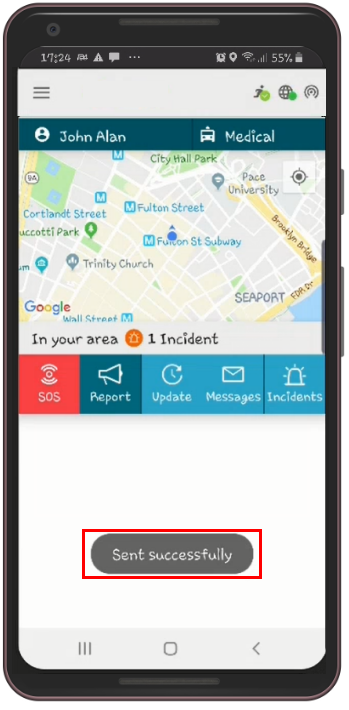
- A Successfully Sent message will appear on your screen.
Note: Ensure you have an active internet connection to successfully send the status updates.
If you encounter issues sending dynamic reports, please contact the NowForce helpdesk for assistance.
