
A responder receives a notification of an incident for which they have been detected on their mobile device.
Opening Incident Reports
A pop-up notification appears on the mobile device’s screen, accompanied by an audible alarm. The mobile device may also vibrate, depending on the notification settings. Please consult your mobile device’s manual for assistance with notification settings.
Opening an incident from a pop-up notification
- Tap View to open the incident on your mobile device.
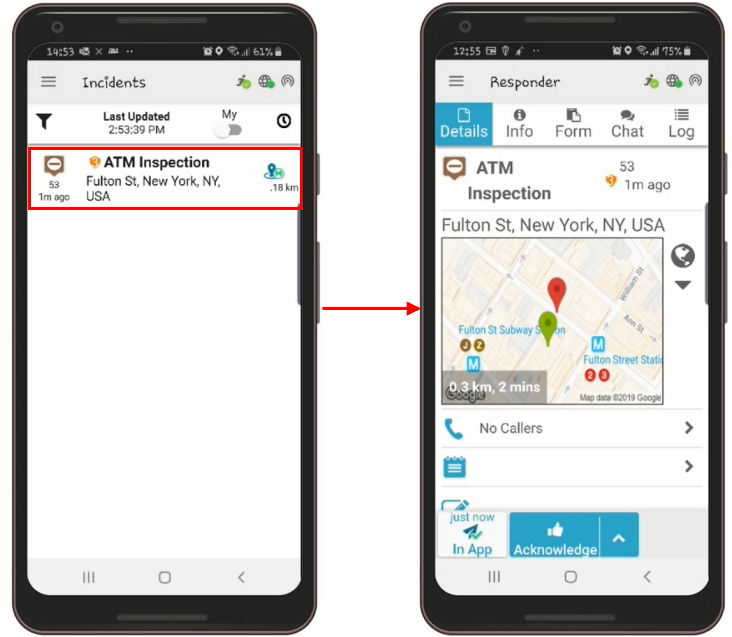
The incident screen will be displayed.
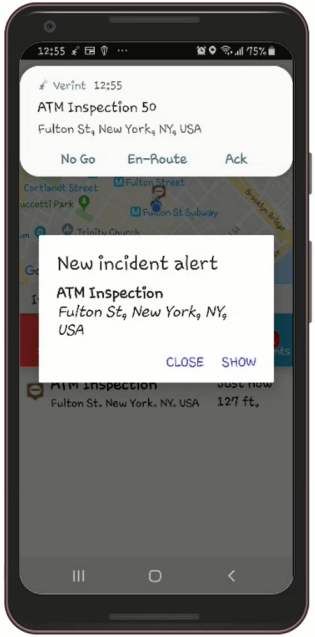
If the mobile app does not open the incident from the notification message, go directly to the app menu to open the incident.
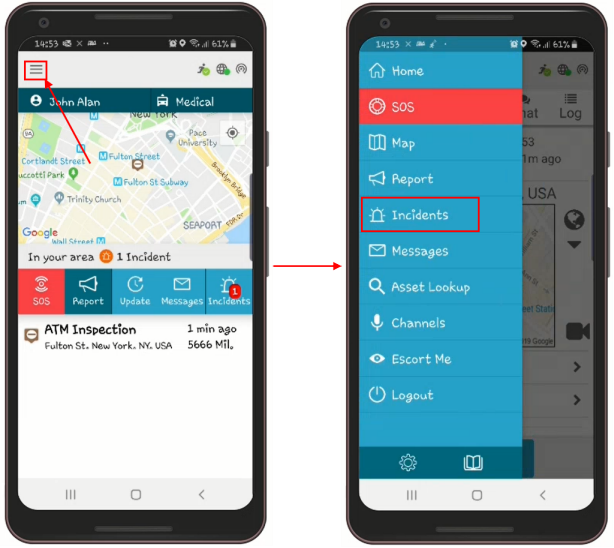
Opening an incident report from the app menu
- On the Home screen, tap the menu icon
 .
. - Tap Incidents and the list of incidents will open.
- Select the incident you wish to view.
This is how you can easily open incident reports in the Responder App.
