Channels PTT (Push-to-Talk radio style) is an additional feature that allows users to communicate with other groups within the organization through PTT-style voice chat.
The system makes a PTT channel available for each group within the organization, allowing group members to chat with each other (and send text messages) through that channel. Users (dispatchers and mobile users) can also create their own group channels to chat with other users.
Creating a New Chat
To create a new chat:
- Open the mobile app and select Channels from the menu.
- Tap Chats and then tap +Add Chat.
The Chat Group page opens.
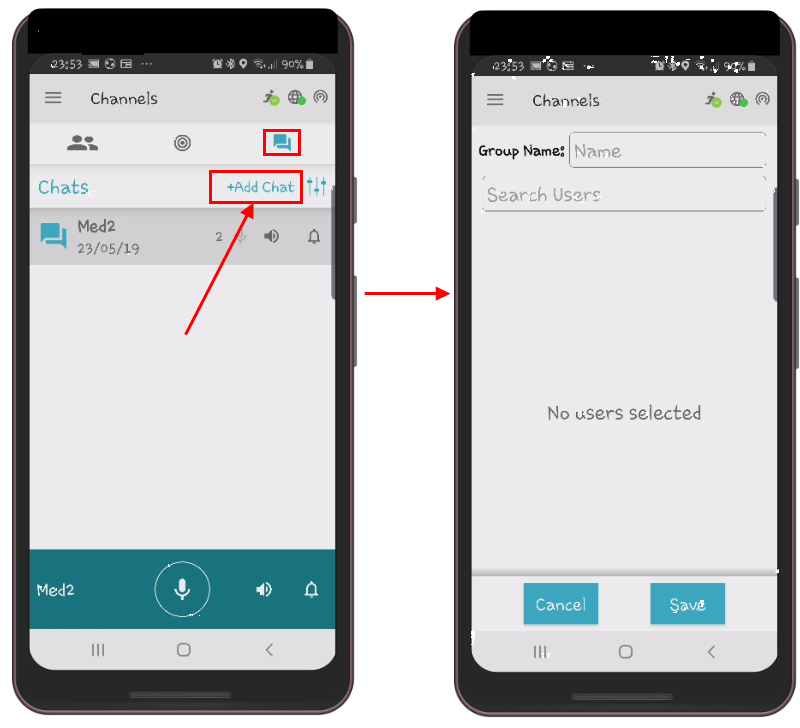
- In the Group Name field, enter the name of the new group.
- In the Search Users field, start typing the names of the users you want to add to the group and then select the desired name from the list.
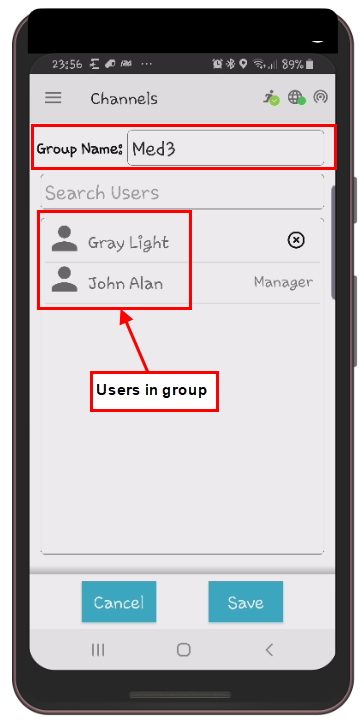
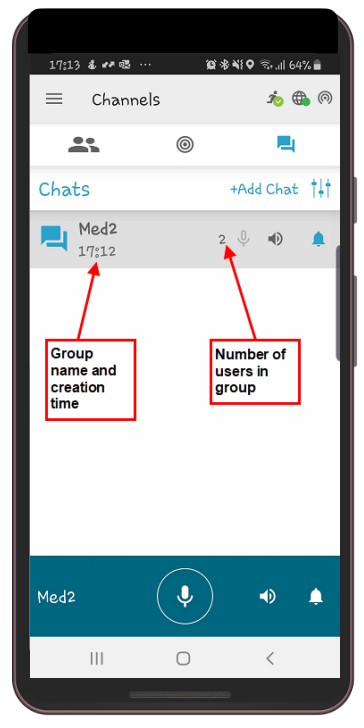
- Tap Save. The new group, along with the number of users in the group and the creation time, is added to the Chats tab on the Channels screen.
Dispatchers can only create new groups with users who are members of their groups. Supervisors can only create new groups with users who are members of the groups they have access to (meaning users from all groups under the authority of the control center they have permission to view).
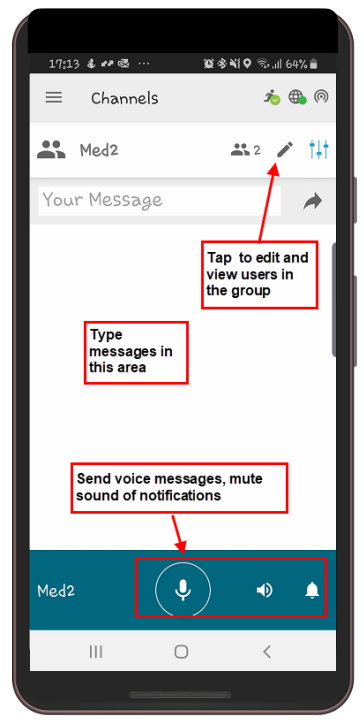
- Tap the group name to open the group’s chat screen, where you can edit the group and users, send voice or text messages, and mute group and chat notifications.
Deleting Groups
You can only delete groups that you have created.
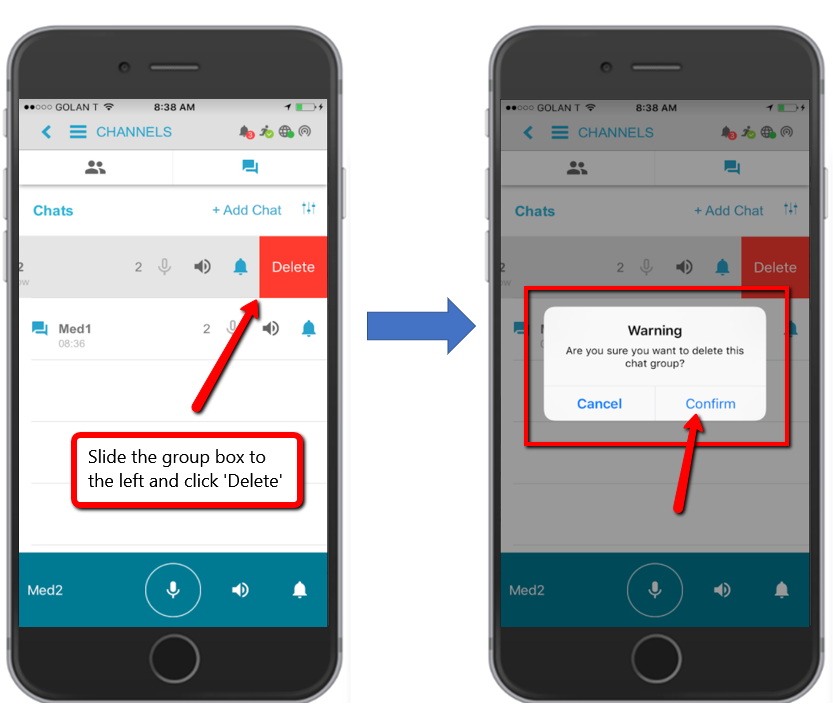
To delete a group in iOS:
- Swipe your finger across the group box and tap Delete.
- Tap Confirm in the warning message to delete the group.
To delete a group in Android:
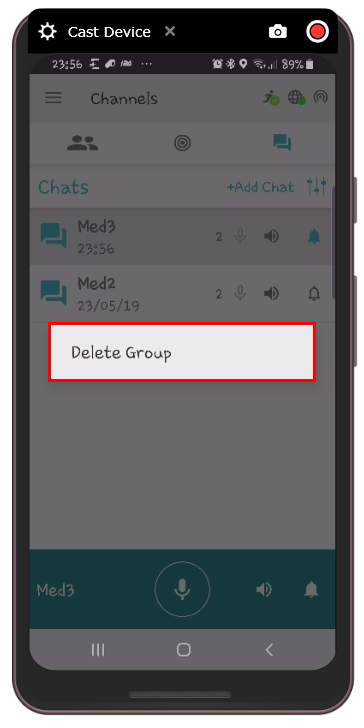
- Press and hold the group name for a few seconds until Delete Group appears on the screen.
- Tap Delete Group to confirm the deletion of the group.