
The Info tab in Responder provides users with incident and contact information for the incident they are assigned to.
Opening the Info Tab
On the Main Screen, tap Info.
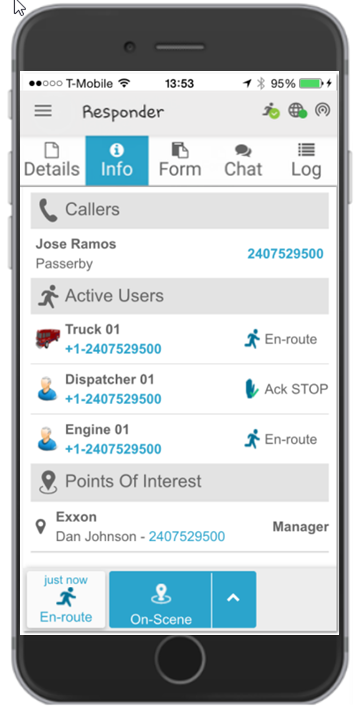
Caller(S)
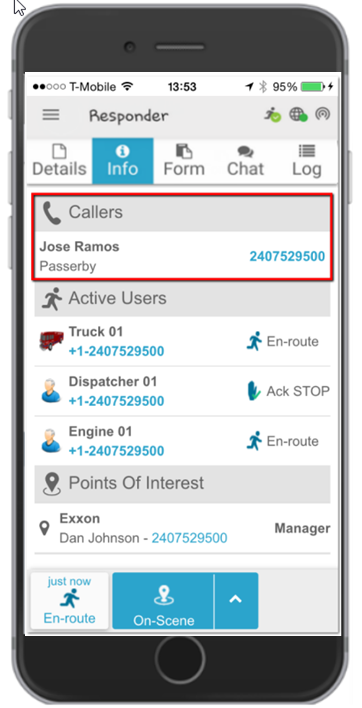
The Caller(s) section displays details of the person who reported the incident. These details include the caller’s name and phone number, as well as any notes the control room operator made during the conversation with the caller.
You can call the caller by tapping their phone number.
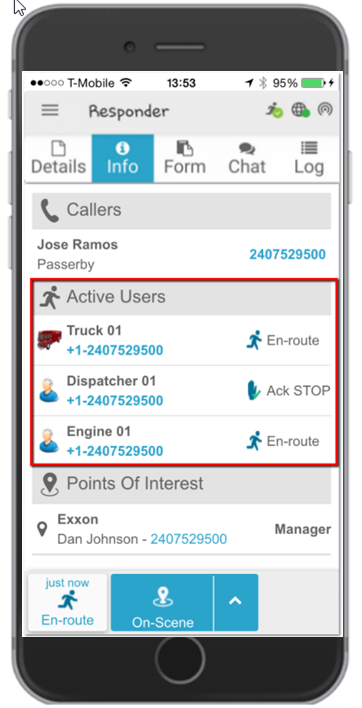
Active Users
The Active Users section displays details of the active users in the incident and their current statuses.
You can call an active user by tapping their phone number.
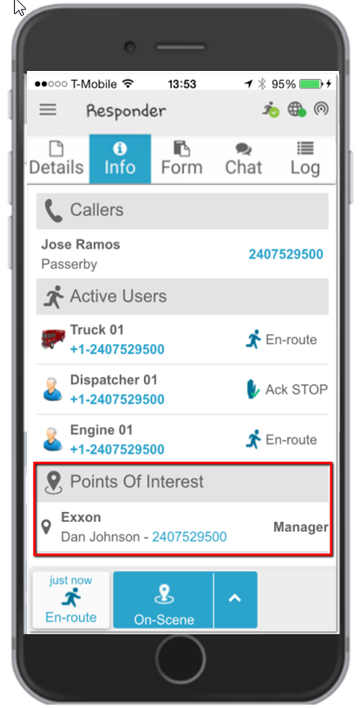
Points of Interest
If the incident is located at a predefined Point of Interest (POI), the Points of Interest section displays the POI name and contact information of the assigned person.
You can call the POI contact person by tapping their phone number.
Using the Info tab in Responder allows users to quickly access important incident and contact information. Follow the steps described above to find the required information and contact relevant parties when necessary.
